Redact PDF Online
Redact PDF files free and remove sensitive information permanently. Every redaction is checked before you download it.
- From Device
- From URL
- From Dropbox
- From Google Drive
- From OneDrive
Or drag and drop files
Select text, draw over images, or take out whole pages. When you redact a PDF here, the content is deleted from inside the file, not covered. Our PDF redaction tool also strips hidden document information like author and edit history.
Why Choose ProPDF to Redact PDF Files
The Content Is Actually Removed
A black rectangle hides text on screen but leaves it in the file. ProPDF deletes the text, images, and drawings underneath, so there is nothing left to recover.
Every Redaction Is Verified
Before your file is ready, ProPDF checks each redacted area to confirm nothing readable remains.
Hidden Information Goes Too
Author names, titles, and editing history sit inside every PDF. ProPDF removes them automatically on every redaction, so you do not have to run a second tool.
Free With No Daily Limit
This is a free PDF redact tool with no account and no one-per-day cap. Redact a PDF free as often as you need, up to 100 MB per file.
What You Can Do With This PDF Redaction Tool
Redact PDF Files Permanently, Not Just Cover Them
The text and images are deleted from the file itself
When you apply a redaction, ProPDF permanently removes the selected content, including text, images, and drawings. The black bar or white space you choose covers the cleared area. Redaction is processed as a single action, so if anything fails, no output file is created, and your original PDF remains unchanged.
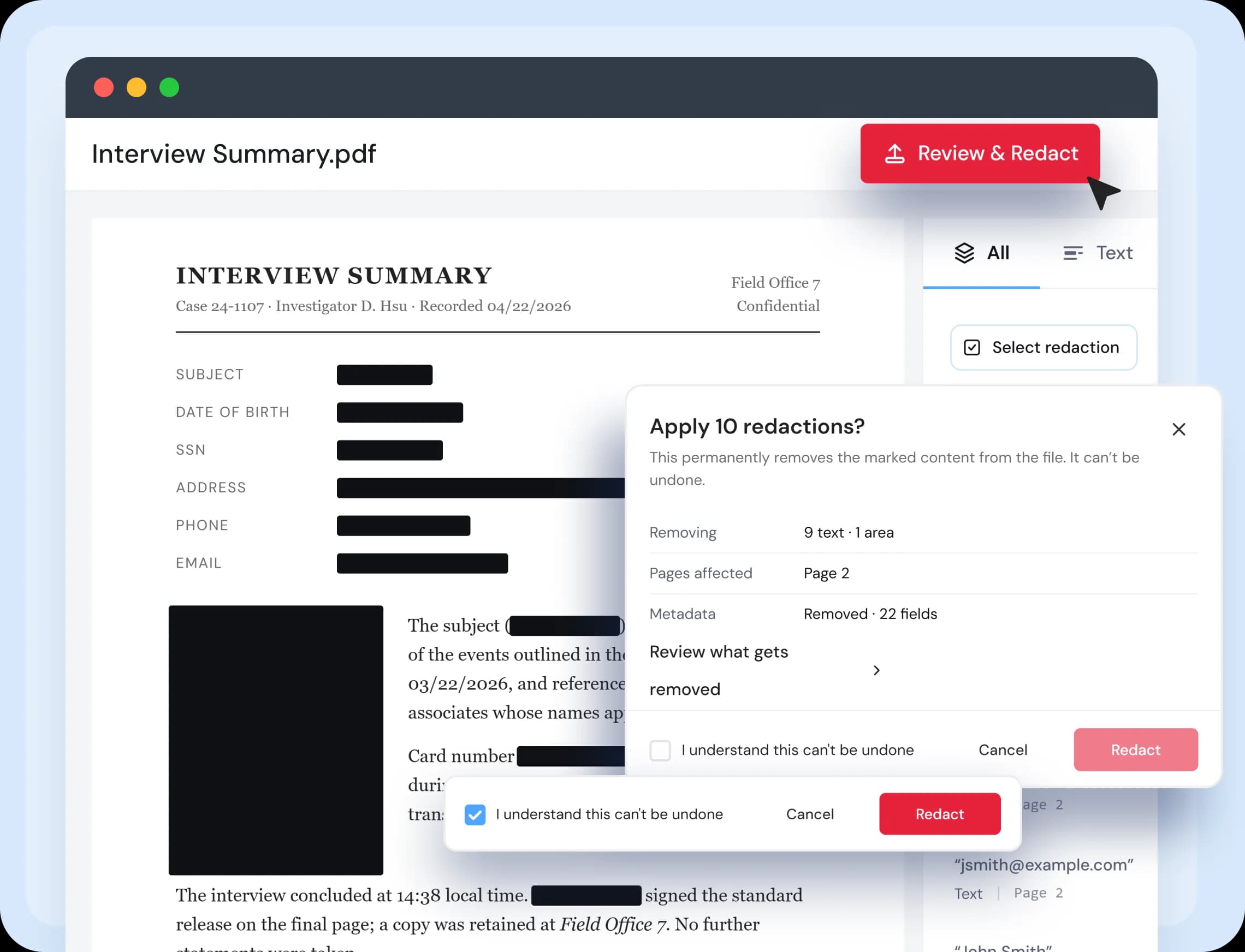
How to Redact a PDF Online in Four Steps
Upload Your PDF
Drag your file into the box or click Choose Files. Your document opens in the workspace right away.
Mark What to Remove
Select text, draw a box, or choose whole pages. Your marks are only a draft until you apply them.
Review and Apply
Check your list of marks, then confirm. ProPDF removes the content, clears the hidden document information, and verifies the result.
Download Your File
Save your redacted PDF.
Redact PDF Features at a Glance
Everything you need to redact a PDF, in one free online tool.
Text Redaction
Select words, lines, or paragraphs straight from the page. The tool records exactly what will be deleted.
Region Redaction
Draw a box over photos, signatures, stamps, or anything else. Works on scanned pages too.
Page Redaction
Empty the current page or a range of pages. The pages stay in the document so the numbering still makes sense.
Automatic Metadata Removal
Author, title, software, and editing history are stripped from every file you redact. There is no extra step.
Black or White Marks
Choose how each redacted area looks. Black bars for a standard legal look, white for a cleaner page.
No Install Needed
Redact PDF online in your browser on Windows, Mac, Chromebook, or phone. Nothing to download.
Find and Redact
Search for a name or number to see every match with its page. Pick the ones you want removed. Turn on whole word to skip partial matches.
Sensitive Data Detection
Scan for Social Security numbers, credit card numbers, emails, and phone numbers. Review the matches before anything is marked.
Verification Report
Download proof that the redaction was applied and checked. Free with every file.
Who Uses This PDF Redactor
Built for anyone who needs to share a document without sharing everything in it.
Legal and Compliance Teams
Prepare disclosures and filings with a record of what was removed and checked.
HR and Recruiting
Share employee records, references, and applications without exposing personal details.
Finance and Accounting
Send statements and invoices with account numbers and card numbers taken out.
Anyone Sharing a Document
Remove your address, phone number, or ID details before you email or upload a personal file.
Your Privacy Is Safe With ProPDF
We built ProPDF with security in mind from the start. Every file you upload is protected with SSL/TLS encryption. Your documents are processed in a private, isolated environment and removed from our servers automatically after a few hours. We never store, reuse, or view your files for any reason.
Encrypted Transfers
Every upload and download goes through SSL/TLS encryption. Your file is secure from the moment you upload it to the moment you save it.
Auto File Deletion
Your files are deleted from our servers a few hours after processing. Nothing is kept, reused, or accessed after your session is done.
Isolated File Processing
Each file is handled in its own secure environment, completely separate from other users' files.
ISO-Certified Data Centers
ProPDF runs on data centers with 24/7 monitoring, advanced firewalls, and strict physical and network security standards.
Frequently Asked Questions About PDF Redaction
To redact a PDF means to permanently remove information from it, not just hide it from view. Many tools only draw a black shape on top of the text. The words stay inside the file and can be copied out or pulled from it with basic software. Real redaction deletes the content itself so it cannot be recovered.
Ready to Redact Your PDF?
Upload your file and remove sensitive information in a few clicks. Free, no signup.
Developed by the team behind FreeConvert, trusted by millions worldwide.