Sign PDF
Add a signature to PDF online. Free, fast, and no signup needed.
- From Device
- From URL
- From Dropbox
- From Google Drive
- From OneDrive
Or drag and drop files
ProPDF is a free PDF signer that runs entirely in your browser. Draw, type, or upload your e-signature and place it anywhere on the document. Sign PDF documents online in seconds. No account needed, no software to install.
Why Use ProPDF to Sign PDF Online
Sign a PDF in Seconds
Upload, sign, and download. The whole process takes seconds. No setup, no learning curve, and no software to install.
No Daily Limits, No Signup Needed
ProPDF is a free PDF signer with no account required and no daily file limits. Just upload your document and get started.
Works on Any Device
Sign PDF documents online from any browser on Mac, Windows, Android, and iOS. No app or extension needed.
Your Files Stay Private
Every file is encrypted in transit and deleted automatically after your session. ProPDF never stores or shares your documents.
Add a Digital Signature to PDF and More
AI-Powered Signature Perfection
If you prefer signing by hand, write your signature on paper, take a photo, and upload it directly to ProPDF. Remove the background with one click, crop the image, and adjust it before placing it on your document. ProPDF gives you a level of control over your handwritten signature that you won't find in other online PDF signing tools.
Type a Text Signature in a Style You Like
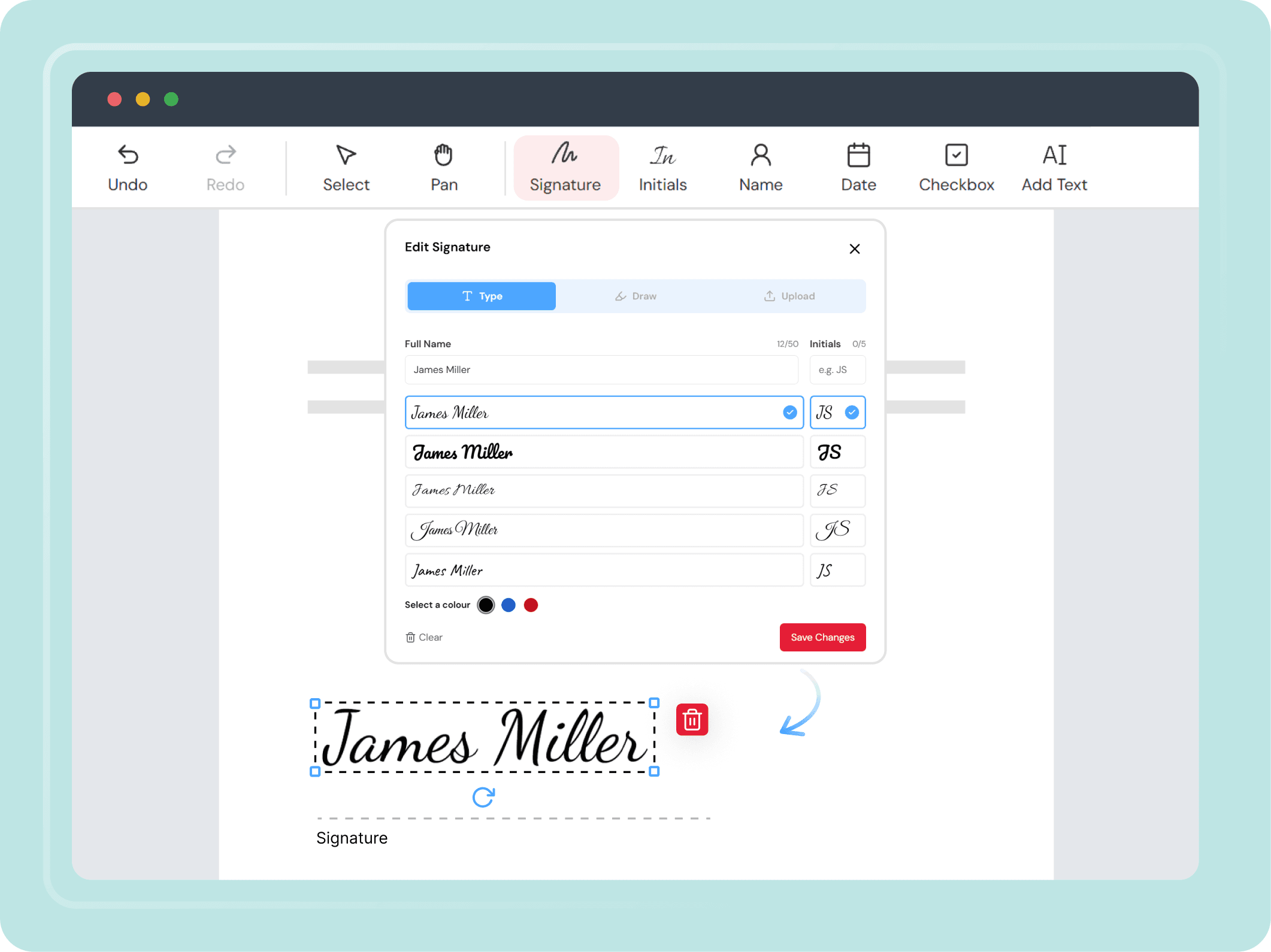
Not everyone wants to draw their signature. A text signature lets you type your name into ProPDF and pick from a set of signature styles. The same applies to initials, so you can create both in a matching style. Choose a color, preview how it looks, and place them on your document in seconds.
Draw on Mobile, Sign a PDF on Desktop
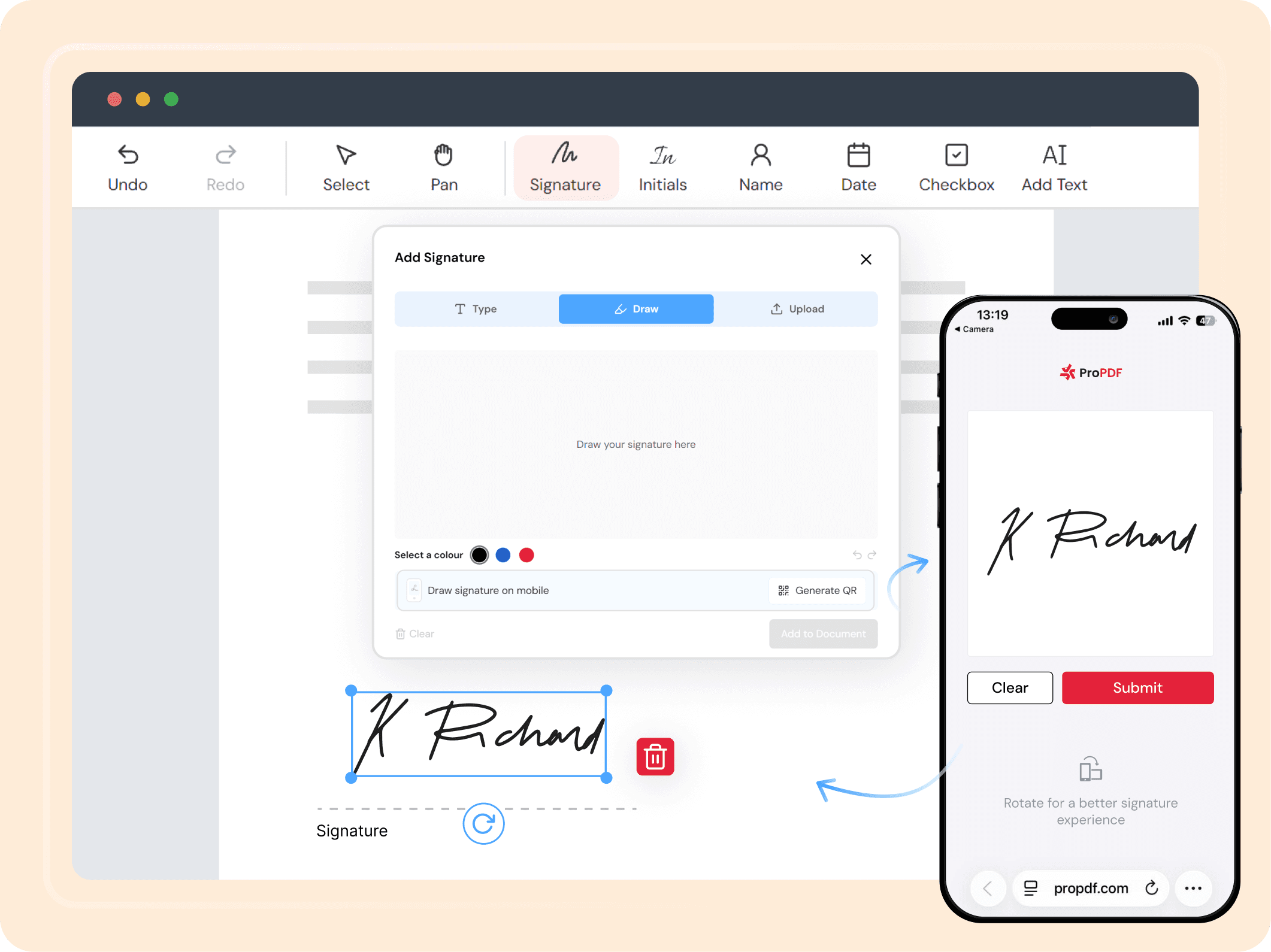
Drawing a signature with a mouse or trackpad rarely looks natural. ProPDF lets you switch to your phone mid-session, draw your e-signature with your finger, and have it transfer back to your desktop automatically. No file transfer, no email, no extra steps needed.
A Complete PDF esign Toolkit in One Place
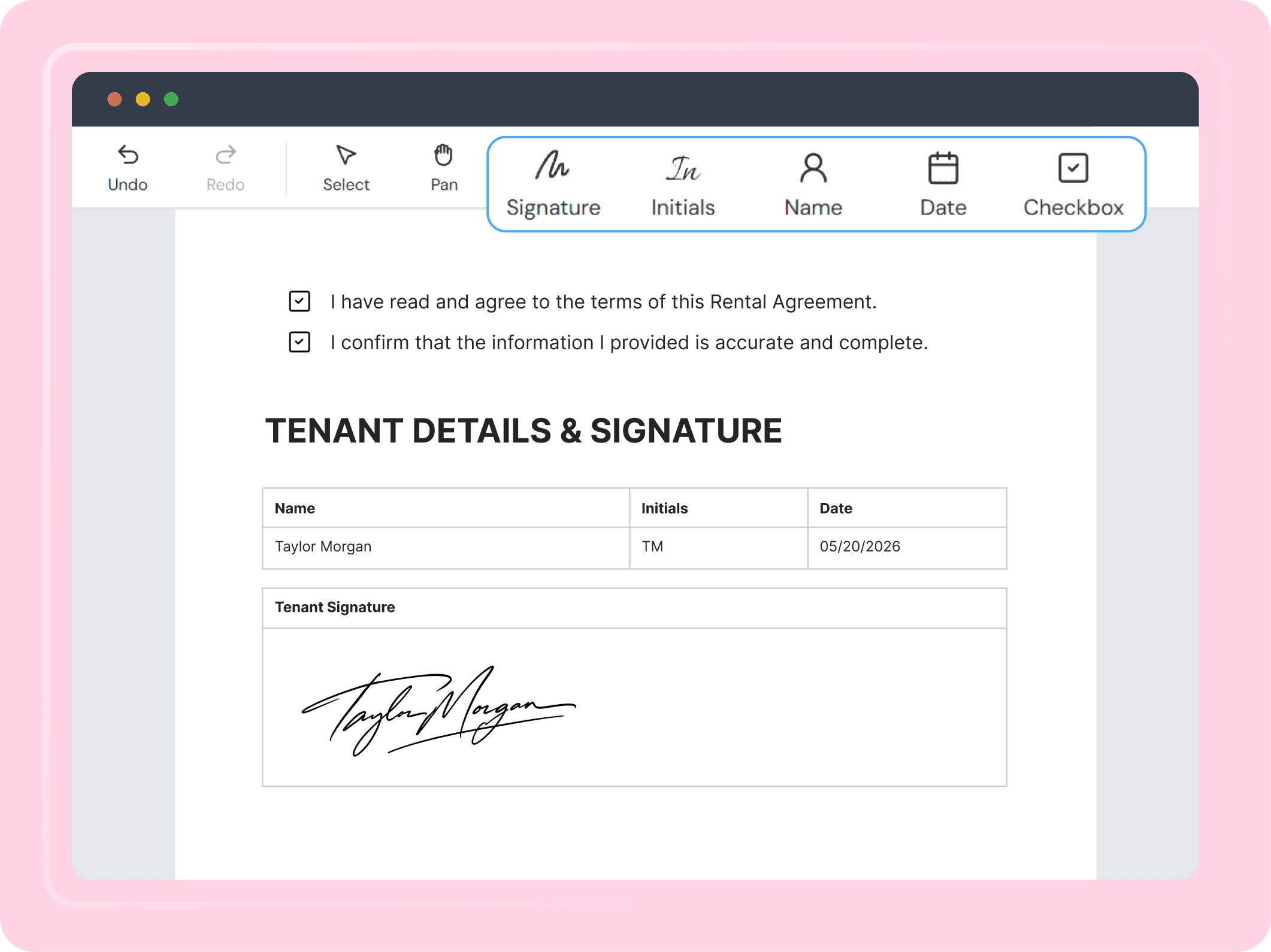
Signing a PDF involves more than just a signature. ProPDF gives you a focused signing surface with five dedicated tools: signature, initials, date stamp, name stamp, free text, and checkboxes. Every field you place is permanently embedded in the PDF on export. No account required, no switching between apps.
How to Sign a PDF Document Online in 4 Steps
Upload Your PDF
Upload your PDF from your device, or import it from Google Drive, Dropbox, OneDrive, or a direct URL. Your file is encrypted the moment it reaches our servers.
Preview Your Document
View the pages of your PDF and decide where to place your signature or initials. You can navigate through all pages before signing.
Add Your Signature and Other Details
Place your signature, initials, date stamp, name, text fields, and checkboxes wherever needed. Everything in this view is built to make signing quick and seamless.
Export Your Signed PDF
When you are done, export the signed PDF. Everything you placed, including signatures, dates, names, and checkboxes, is permanently embedded in the document. Download to your device, or save directly to Google Drive, Dropbox, or OneDrive.
ProPDF Sign PDF Features at a Glance
A free PDF signer with all the tools you need to esign PDF documents, in one place.
Draw or Type Your Signature
Draw with a mouse, touchscreen, or finger on mobile. Or type your name in a signature font style you prefer.
Upload Signature Image
Upload a photo of your handwritten signature. Crop it, pan, and zoom to frame it before placing it on the PDF.
AI Background Removal
Remove the background from any uploaded signature image with one click. Adjust the color to match your document.
Add Initials
Place initials separately from your full signature anywhere on the document.
Date and Name Stamps
Auto-fill your date and name onto the document. Both are editable before placing.
Multiple Signatures
Create and save more than one signature in the same session. Place different signatures at multiple points across the document.
Add Text
Type printed names, notes, or any required information onto the page.
Checkbox
Check off agreement and acknowledgement lines anywhere on the document.
Mobile Draw to Desktop
Draw on your phone, continue signing on desktop. No file transfer needed.
Sign Documents Online Free, For Every Kind of User
One tool that works for every kind of user.
Professionals
Sign contracts, NDAs, offer letters, and business agreements quickly. No printing, no scanning. Just upload, sign, and send.
Freelancers and Small Businesses
Sign client agreements, proposals, and invoices in seconds. No subscription or installed software needed.
Everyday Personal Use
Sign rental agreements, consent forms, and everyday paperwork from any device. Fast and free with no account required.
Students and Educators
Sign enrollment forms, permission slips, and institutional documents without needing to print or scan a single page.
Your Privacy Is Safe With ProPDF
We built ProPDF with security in mind from the start. Every file you upload is protected with SSL/TLS encryption. Your documents are processed in a private, isolated environment and removed from our servers automatically after a few hours. We never store, reuse, or view your files for any reason.
Encrypted Transfers
Every upload and download goes through SSL/TLS encryption. Your file is secure from the moment you upload it to the moment you save it.
Auto File Deletion
Your files are deleted from our servers a few hours after processing. Nothing is kept, reused, or accessed after your session is done.
Isolated File Processing
Each file is handled in its own secure environment, completely separate from other users' files.
ISO-Certified Data Centers
ProPDF runs on data centers with 24/7 monitoring, advanced firewalls, and strict physical and network security standards.
Frequently Asked Questions About How to Sign a PDF
Upload your PDF to ProPDF. Create your signature by drawing, typing, or uploading an image. Place it on the document and download the signed file. No account or software needed.
Ready to Sign Your PDF?
Upload your file and add your e-signature in seconds. Free, secure, and no signup needed.
Developed by the team behind FreeConvert, trusted by millions worldwide.